Permission-aware destinations
Navigation and dashboard destinations can be filtered through effective page permissions.

OptiToolkit applies permission-aware navigation, organisation and data scope, secure-session and request safeguards, output escaping, audit capabilities and explicit AI verification principles across the platform.
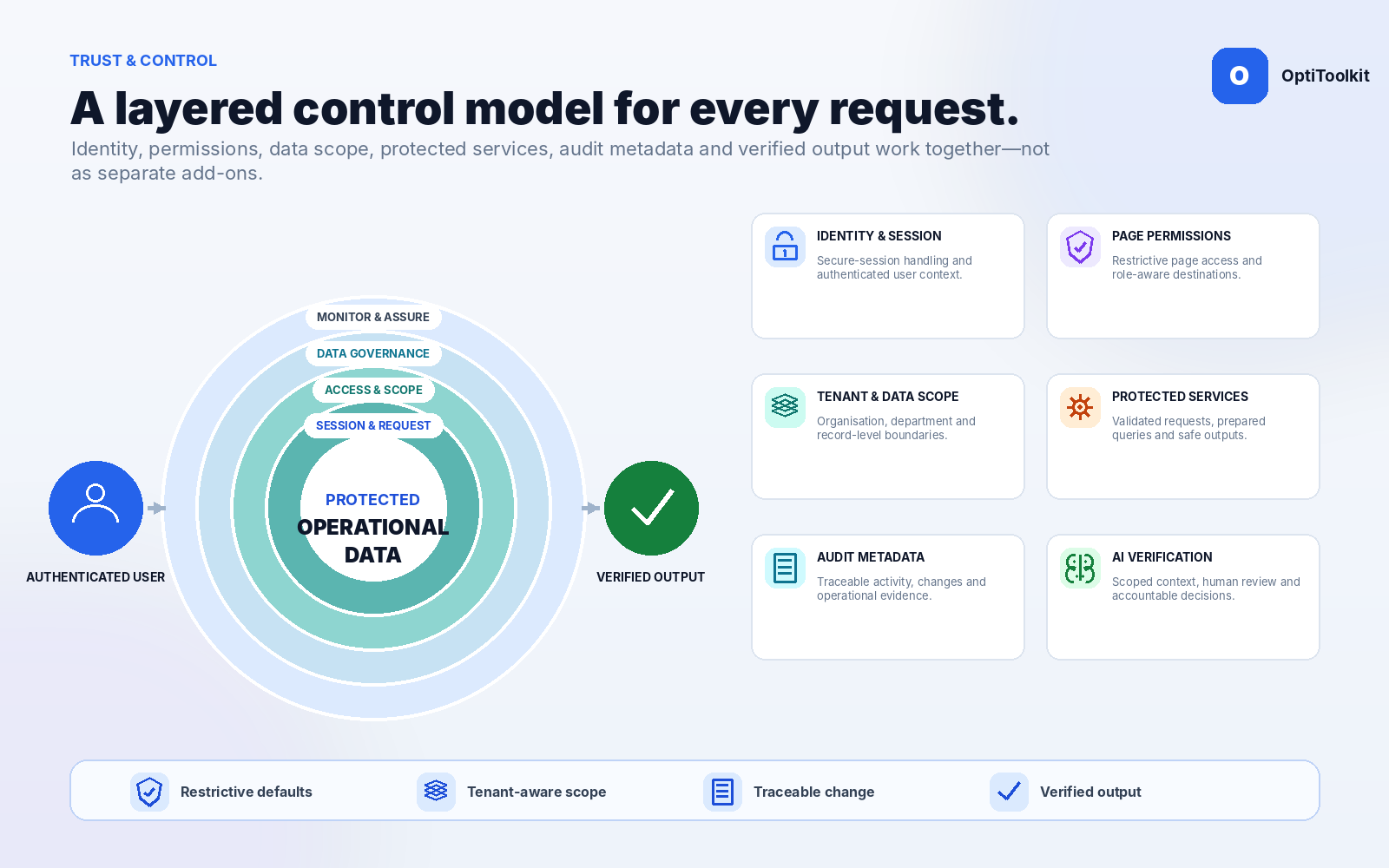
Access controls are part of the server-side decision about what a user can read, change, export, analyse or pass into AI-assisted workflows.
Navigation and dashboard destinations can be filtered through effective page permissions.
Organisation-owned records retain explicit organisation scope as a defence-in-depth control.
User and department limits can be applied using the relevant entity relationships.
Missing or invalid context should deny access or return no data.
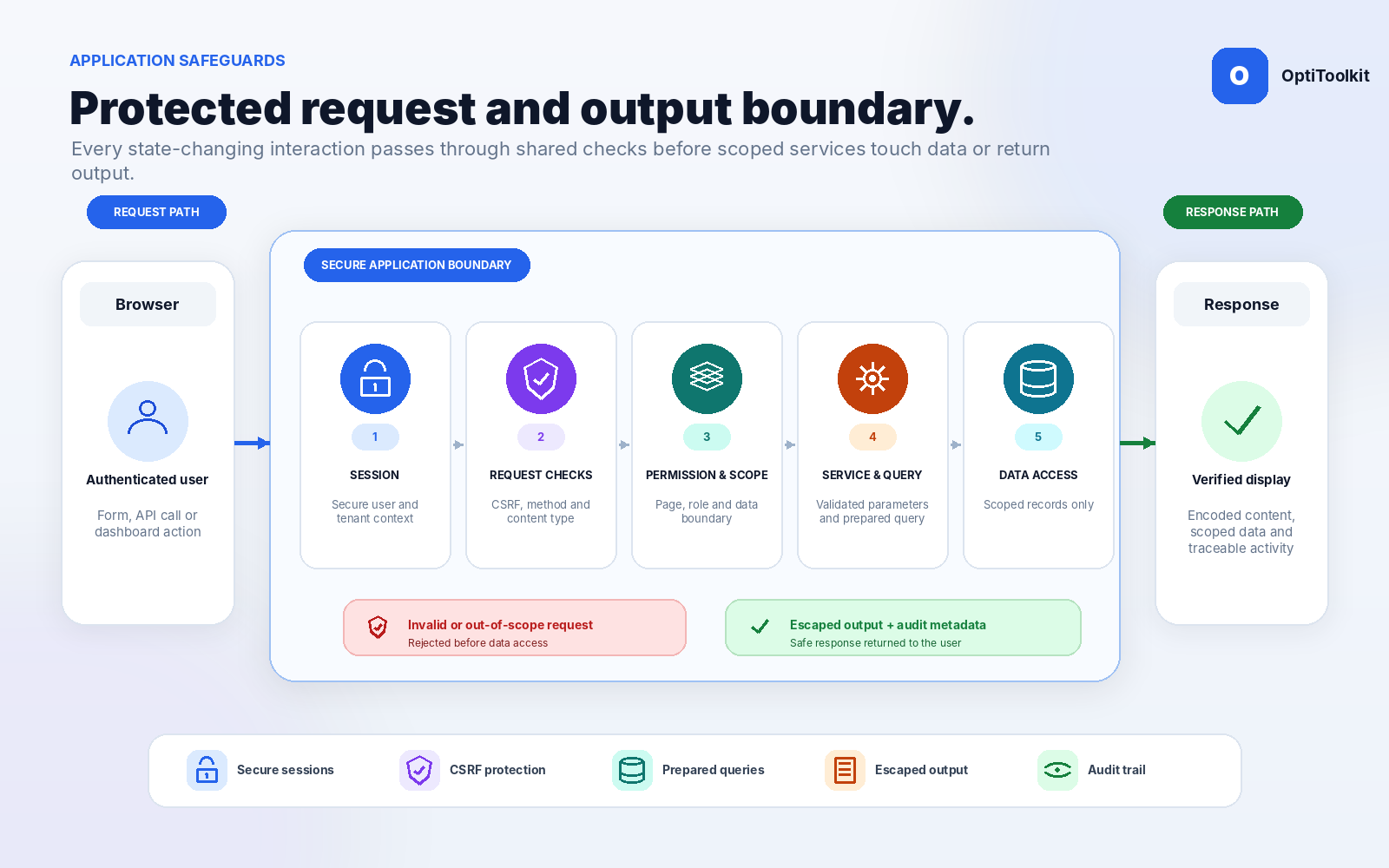
Use shared server-side helpers and restrictive handling across state-changing and data-sensitive workflows.
Start and validate the secure user session.
Evaluate page permissions and effective data scope.
Check method, content type, identifiers, lengths and expected values.
Use prepared queries and scoped services for reads and writes.
Encode database, user, file, API and AI-derived output.
Record stable metadata and support effective-access diagnostics.
The platform uses shared helpers for secure sessions, CSRF protection, output escaping, API request validation and database access patterns.
Use operational controls across administration, audit, AI and accessible interaction.
Review available audit, login and operational metadata where configured.
Explain effective access decisions and role configuration.
Apply capability checks before sensitive operational exports.
Use semantic structure, keyboard controls, visible focus and reduced motion.
Apply permission and organisation scope to analytics and AI data access.
Avoid certification and compliance claims without approved evidence.
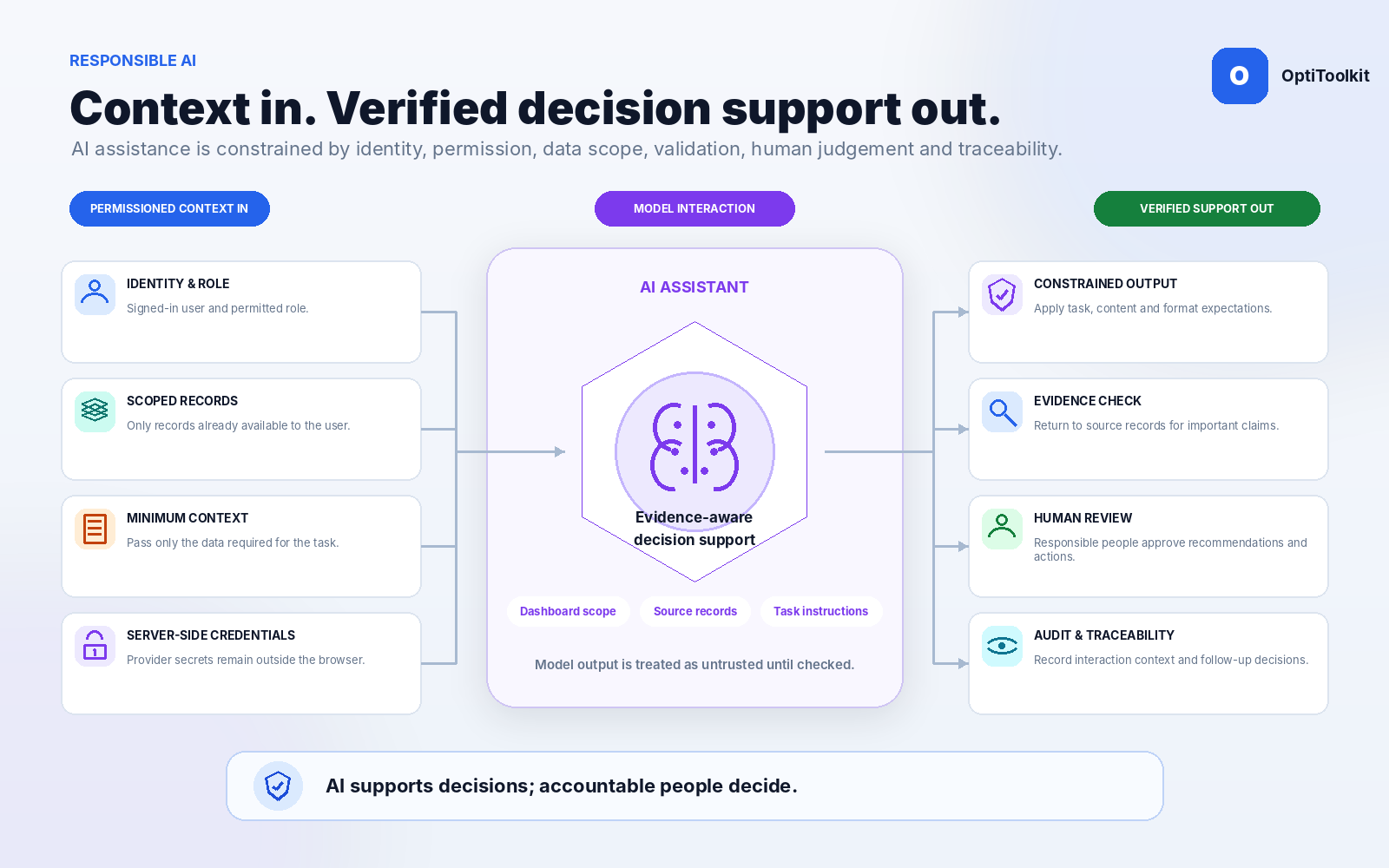
AI assistance remains subject to the same permission, scope, validation and output-handling expectations as the rest of the application.
Use the signed-in user, organisation, page permission and dashboard context.
Return to source records and responsible professional judgement before action.
Provider credentials remain server-side and model output must be constrained, validated and escaped before display, storage or action.
Discuss deployment, data and control requirements directly and preserve the boundary between application features and independently verified claims.
Explain role, permission and data-scope behaviour.
Support audit review and diagnostics with stable metadata.
Keep context, validation and human verification explicit.
Select the roles, data scope, export, audit or AI questions you want covered in the walkthrough.