Portfolio leader
Start with Projects & Portfolio, then open the Project Dashboard and Transformation & PMO solution.
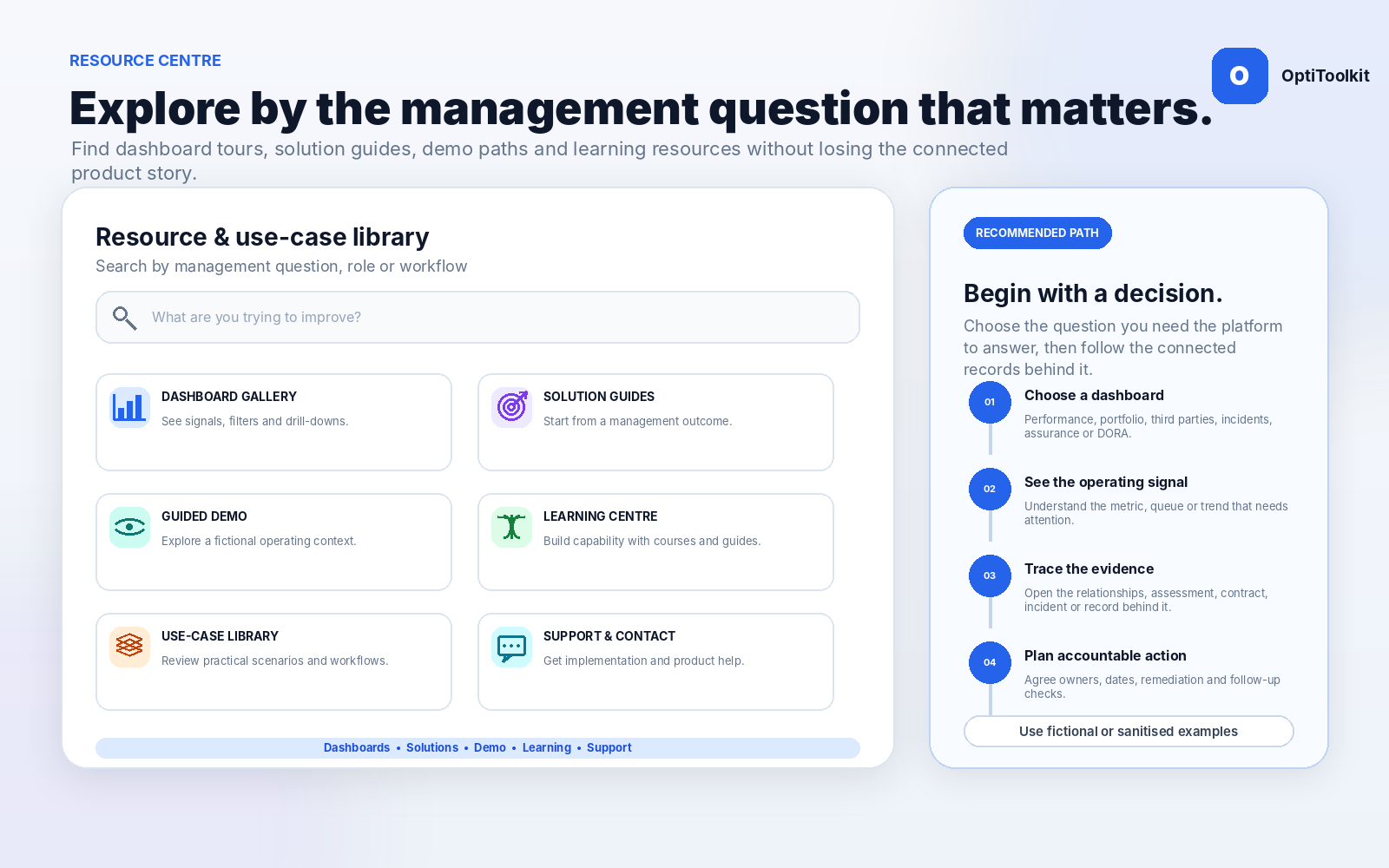
Use the dashboard gallery, focused solution pages, guided demo and learning resources to understand how OptiToolkit connects evidence, decisions and actions.
Each path combines a product overview, dashboard and focused solution page.
Start with Projects & Portfolio, then open the Project Dashboard and Transformation & PMO solution.
Start with Assessments & Actions, performance dashboards and the assurance solution.
Start with Suppliers & Contracts, then review coverage, renewal and remediation.
Start with DORA, then explore third-party, incident and RoI readiness capabilities.
Use the public site as a guided route rather than a long list of disconnected features.
Select a platform capability, solution or dashboard.
Review the management question and connected workflow.
Use the visual placeholder or approved product screenshot.
Open the related dashboard, demo or existing use-case page.
Book a focused walkthrough around the selected need.
Map users, data, models, AI and subscription requirements.
Explore performance, evaluations, projects, suppliers, contracts, incidents, agency assurance and DORA readiness.
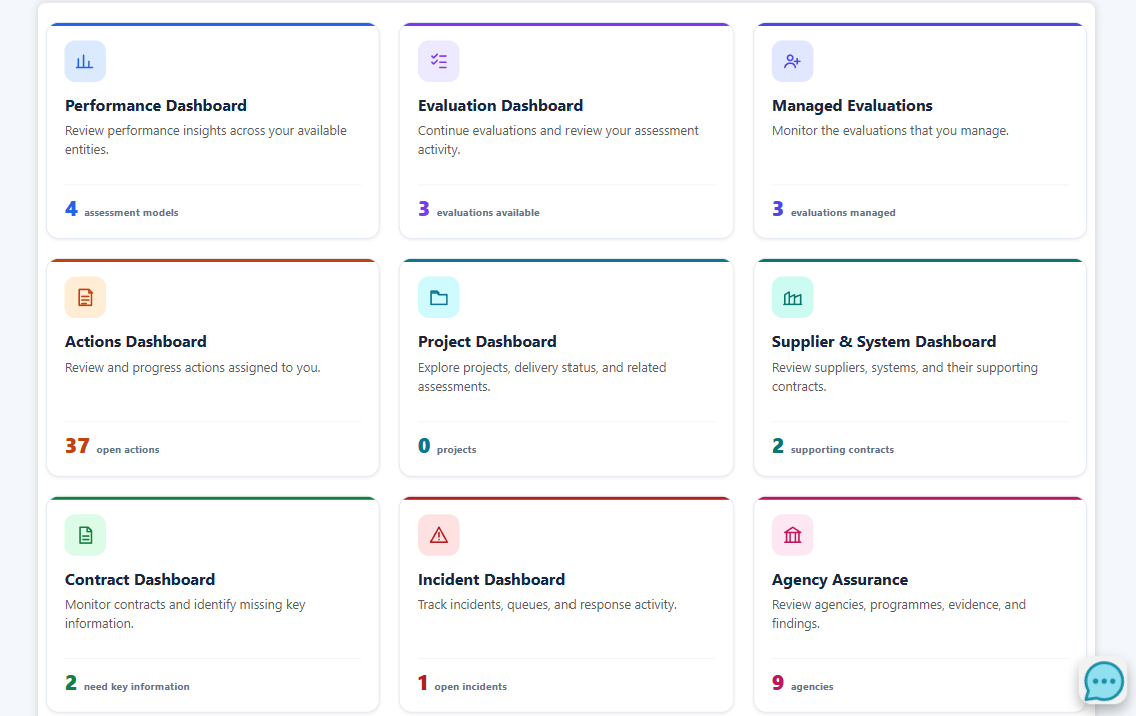
The package links back to the existing demo, use-case catalogue, learning, contact and checkout workflows.
Open the existing demonstration environment to explore application navigation.
Explore capabilityReview the current catalogue of business and management scenarios.
Explore capabilityBrowse available learning, books, articles and assessments.
Explore capabilityDiscuss product fit, subscription questions or a custom quote.
Explore capabilityReview the modernised current subscription presentation.
Explore capabilityReview permission, scope, audit, AI and accessibility principles.
Explore capabilityChoose the role, workflow and management question you want a guided session to cover.
Choose performance, portfolio, third parties, incidents, assurance or DORA.
Review the records, assessments, ownership and remediation required.
Use fictional or sanitised examples in any public request. Do not submit confidential source records.
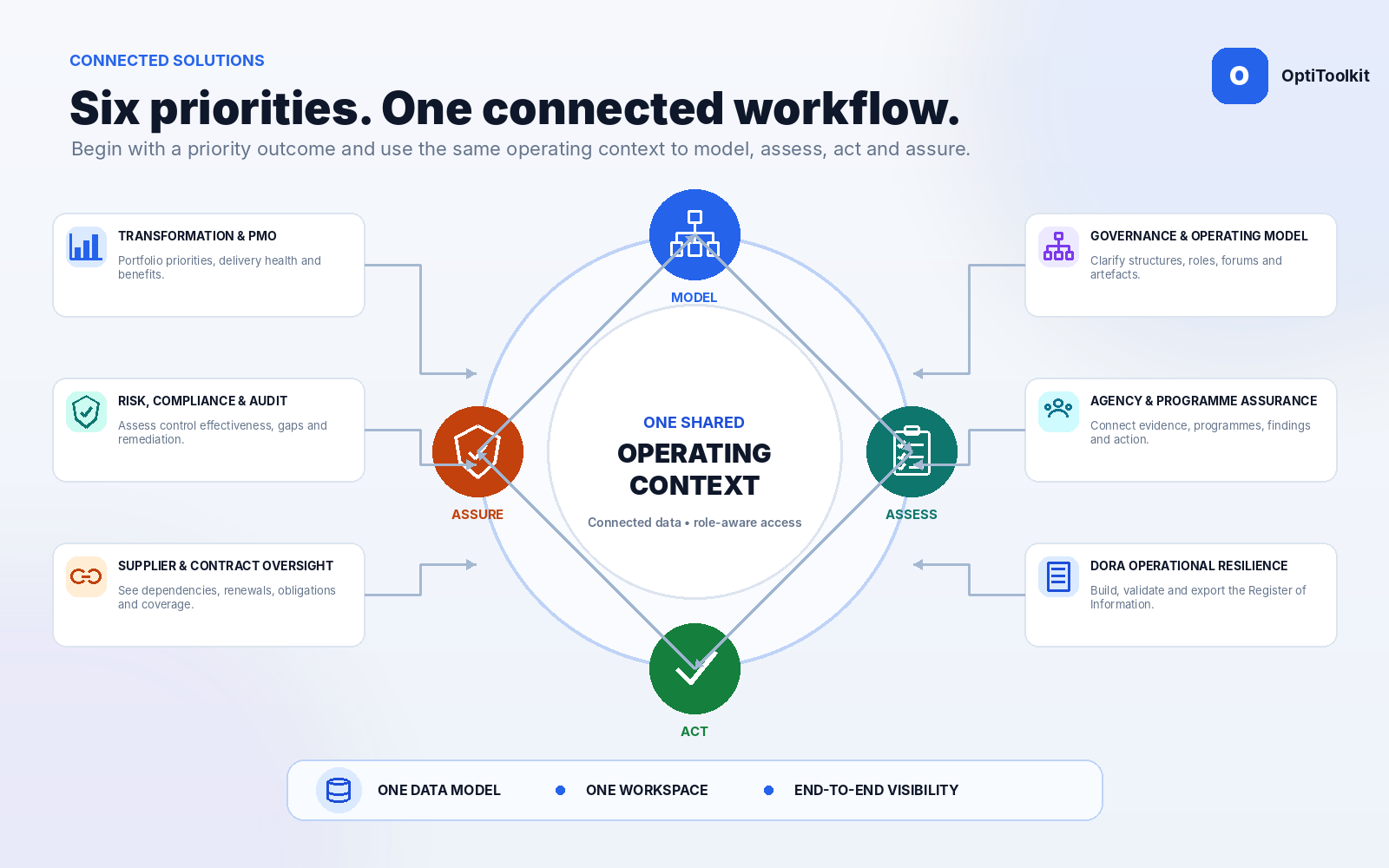
Use consistent stories, visuals and terminology across public pages.
Visitors can route themselves by management need or dashboard.
Approved product screenshots replace abstract module slides.
Walkthrough requests include the use case and role to focus the session.
Tell us the management question, role and records you want the session to centre on.