Start with the signal
Use metric cards to expose exceptions, trends and work queues.

Bring performance, evaluations, delivery, suppliers, contracts, incidents and assurance into role-based workspaces that help teams identify priorities and move directly into action.
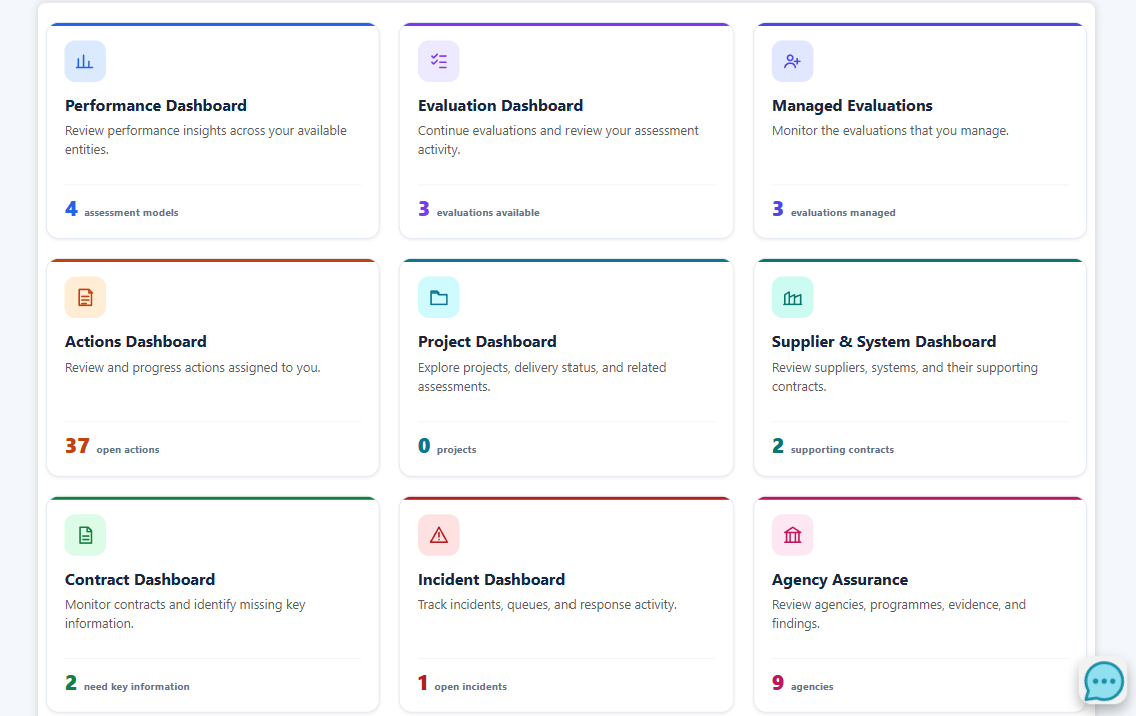
The recurring interaction model keeps the experience familiar across domains while preserving the specific data and controls required by each workflow.
Use metric cards to expose exceptions, trends and work queues.
Apply role-aware filters and reusable views to narrow the visible work set.
Move from a summary into cards, records, relationships, history and source detail.
Create, assign or review remediation and ask AI about the exact filtered context.
Replace each placeholder with a screenshot from a stable fictional demonstration organisation. The page automatically uses the image when it is added under public/img/marketing.
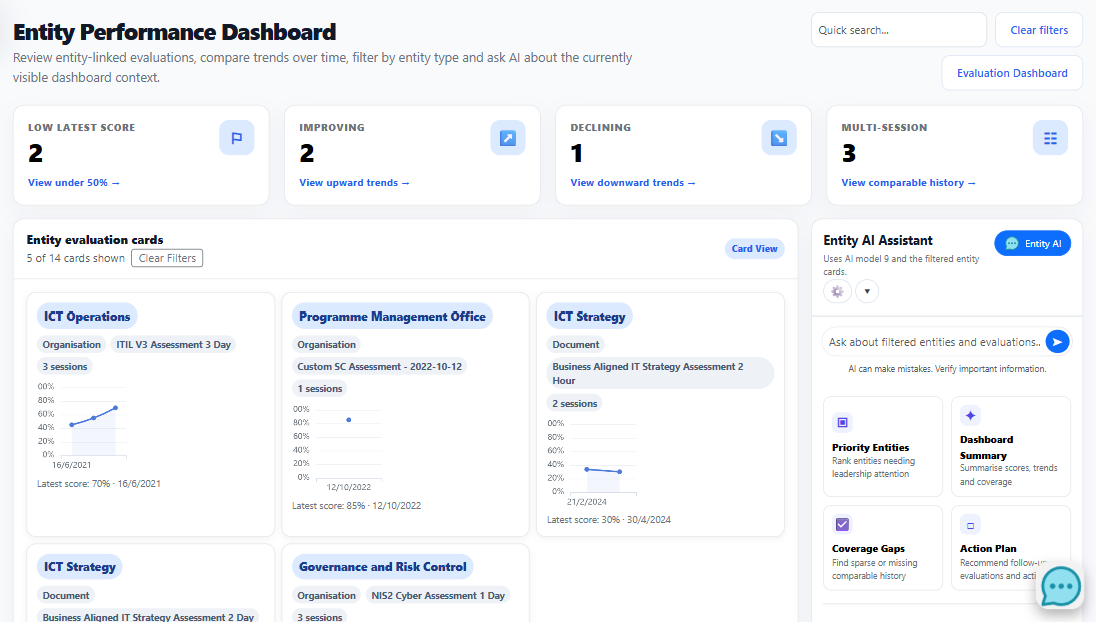
Review entity-linked evaluations, compare trends over time and focus the cards that need leadership attention.
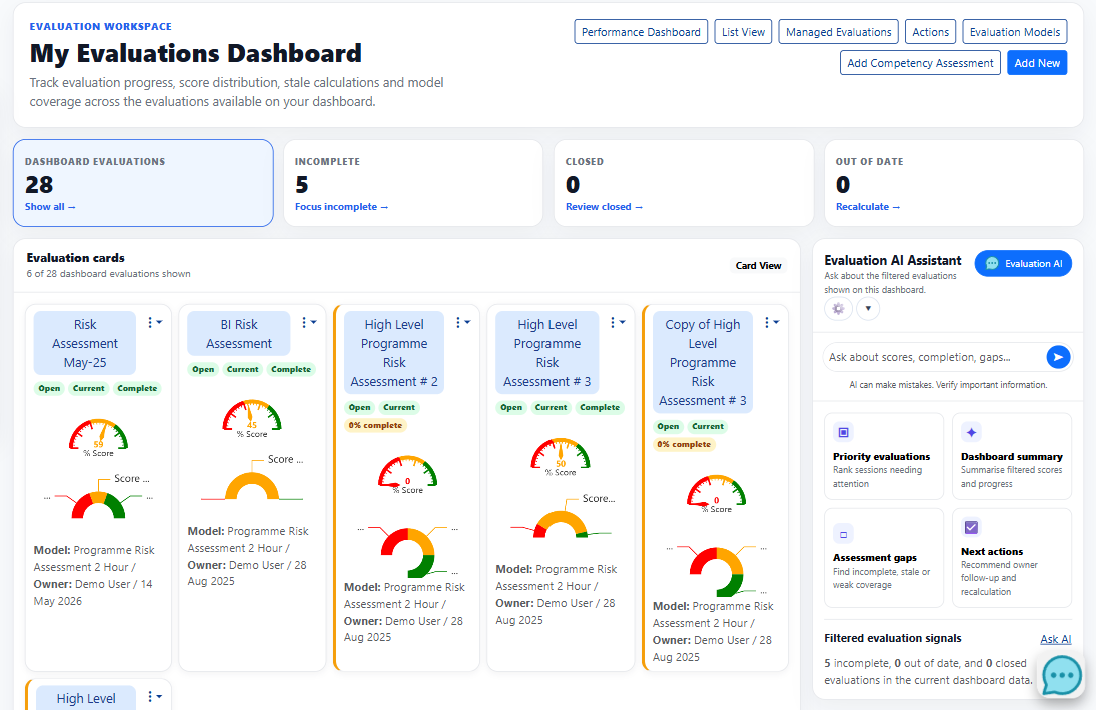
Bring evaluation sessions into a searchable card workspace that distinguishes incomplete, closed and out-of-date work.
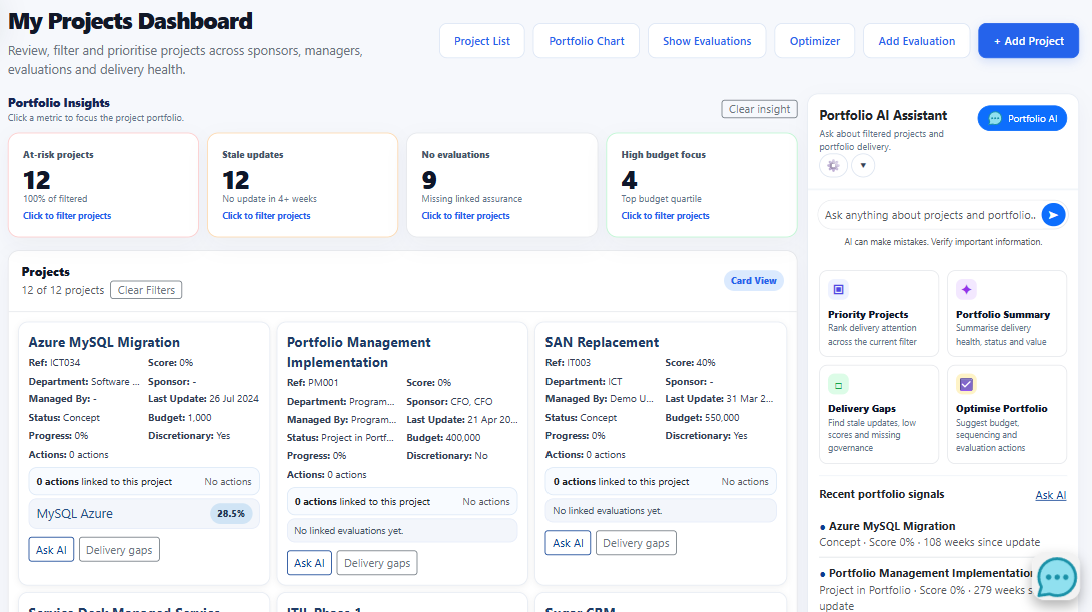
Review projects across status, sponsor, manager, department, update age, score, budget and discretionary status.
Connect supplier and system entities to contracts, assessments, related providers and remediation signals.
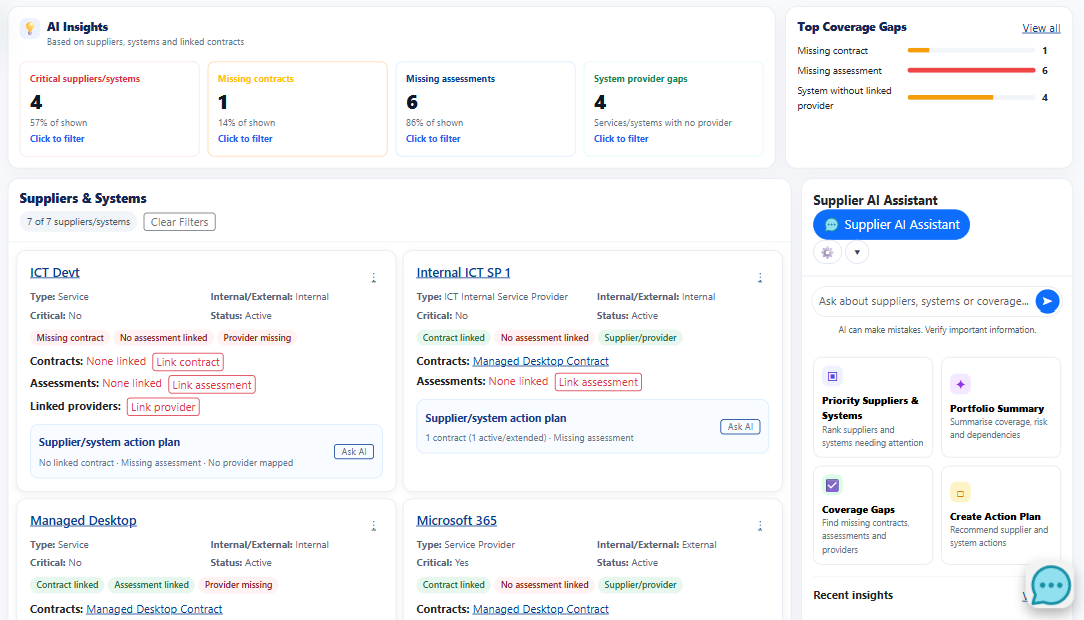
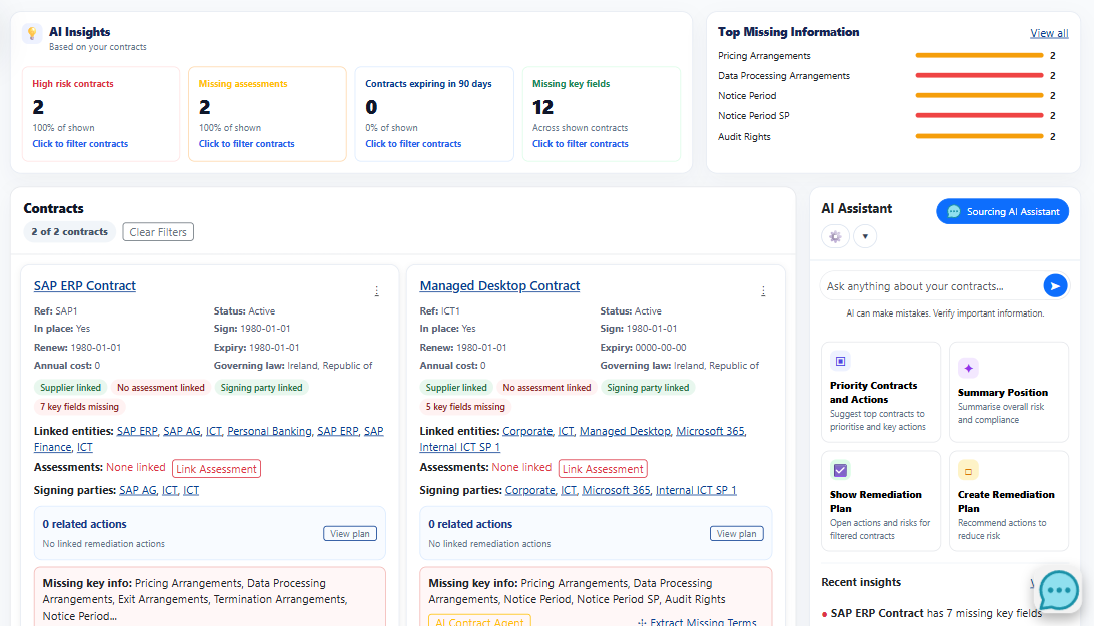
Review linked entities, commercial terms, data handling, renewal and expiry, governing law and action status.
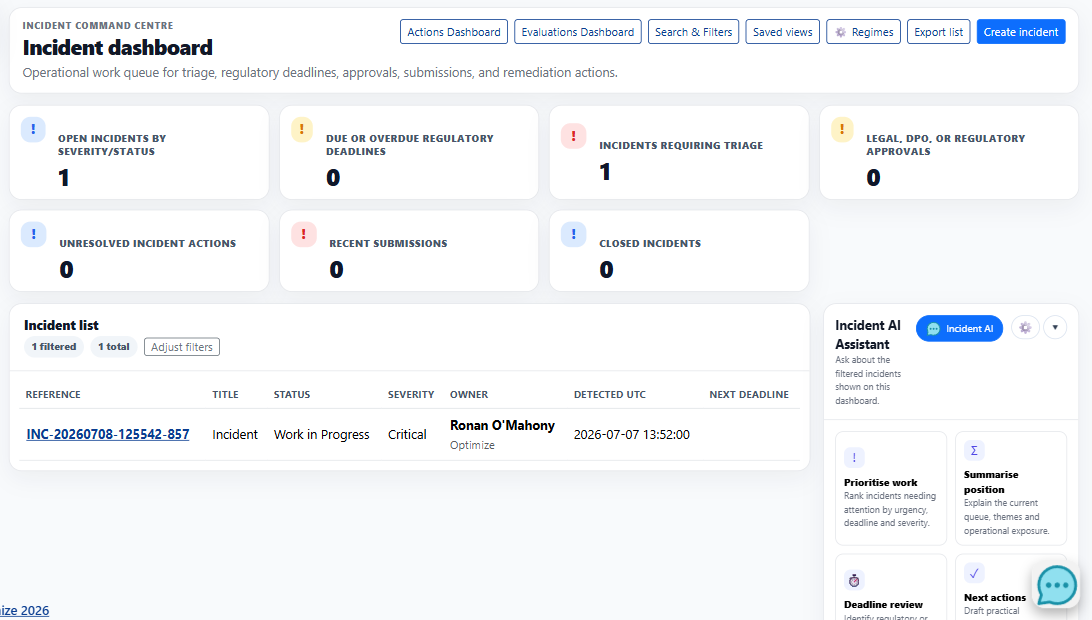
Prioritise triage, deadlines, approvals, submissions and actions while preserving ownership, filters and export permissions.
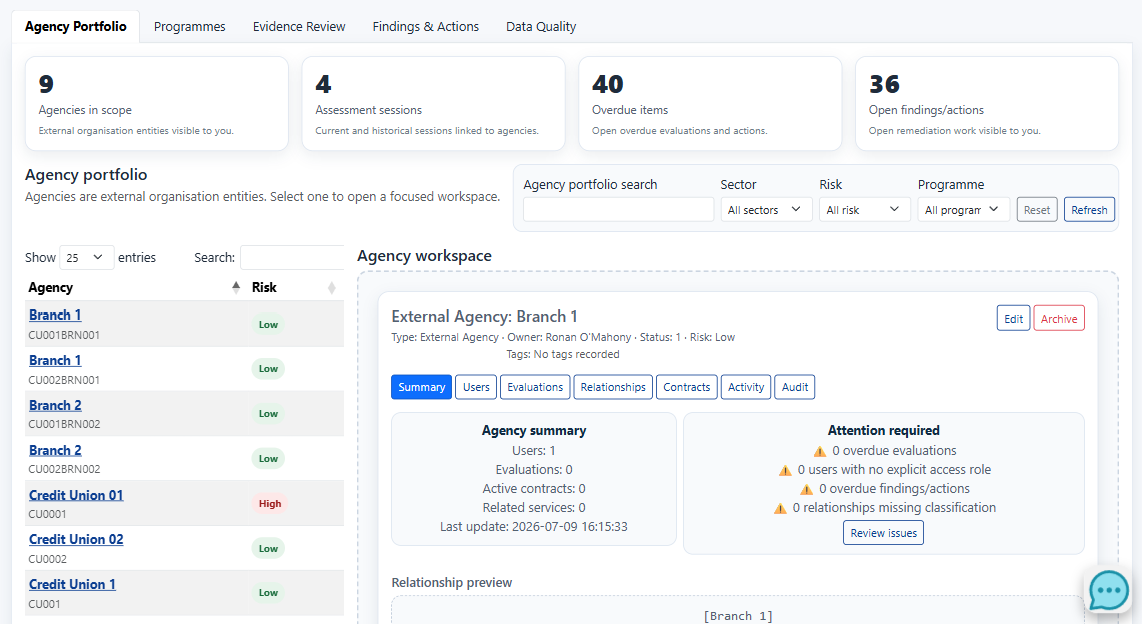
Move between agency scope, programme delivery, evidence review, findings, actions and data quality without losing the relationships between them.
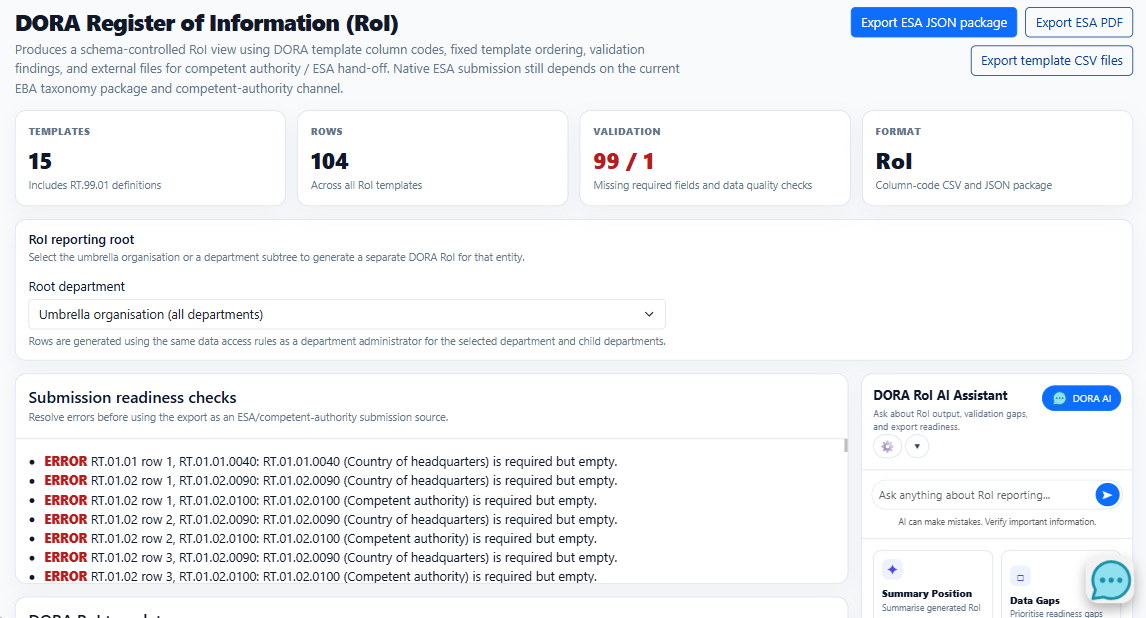
Generate schema-controlled RoI views, review validation findings and export fixed-template outputs for the selected organisation or department scope.
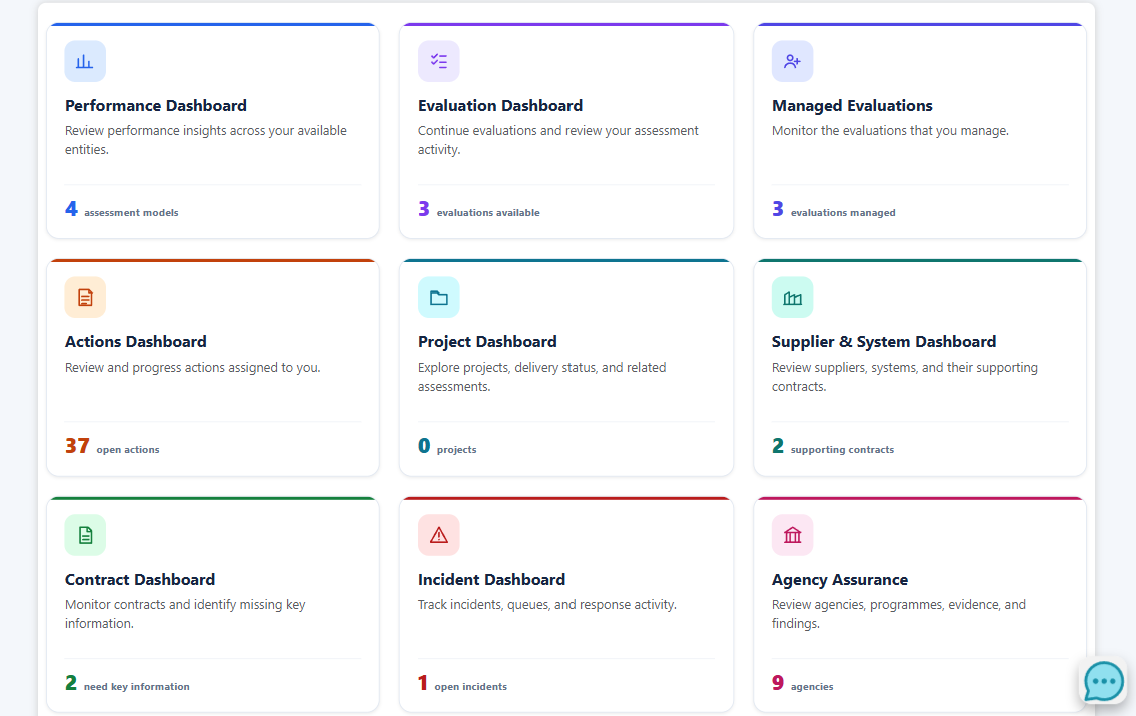
The signed-in dashboard hub can present only the destinations permitted for the user.
| Workspace | Primary question | Representative signals | Next actions |
|---|---|---|---|
| Performance | Where is performance improving or declining? | Latest score, trend direction, comparable history | Compare sessions, add an evaluation, create an action plan |
| Evaluations | Which assessments need attention? | Incomplete, closed, stale, model and completion status | Open a session, save a view, identify gaps |
| Projects | Which projects deserve leadership focus? | Delivery health, update age, scores, budget and ownership | Prioritise, assess, optimise and follow up |
| Suppliers & systems | Where are dependency and coverage gaps? | Criticality, contracts, assessments and providers | Review relationships and create remediation |
| Contracts | Which obligations or records need action? | Renewal, expiry, cost, data, legal terms and missing information | Open a remediation plan and assign actions |
| Incidents | Which operational queues need action now? | Overdue, triage, approvals, actions and submissions | Open records, apply views, export and review deadlines |
| Agency assurance | Which programmes, evidence and findings need follow-up? | Agency scope, sessions, overdue items, findings and data quality | Review evidence, assign ownership and manage findings |
| DORA RoI | Is the Register of Information ready for hand-off? | Templates, rows, validation findings and scope | Resolve gaps and export fixed-template packages |
The dashboard hub can filter destinations using server-side page permissions and attach relevant counts such as open actions, projects, contracts, agencies and incidents.
Choose performance, projects, third parties, incidents, assurance or DORA and focus the session on the records and decisions behind that workspace.