Fragmented portfolio data
Status, budget, benefits, ownership and risk are often reconciled manually.
Bring project delivery, investment, benefits, ownership, assessment evidence and remediation into one connected operating picture for portfolio and transformation leadership.
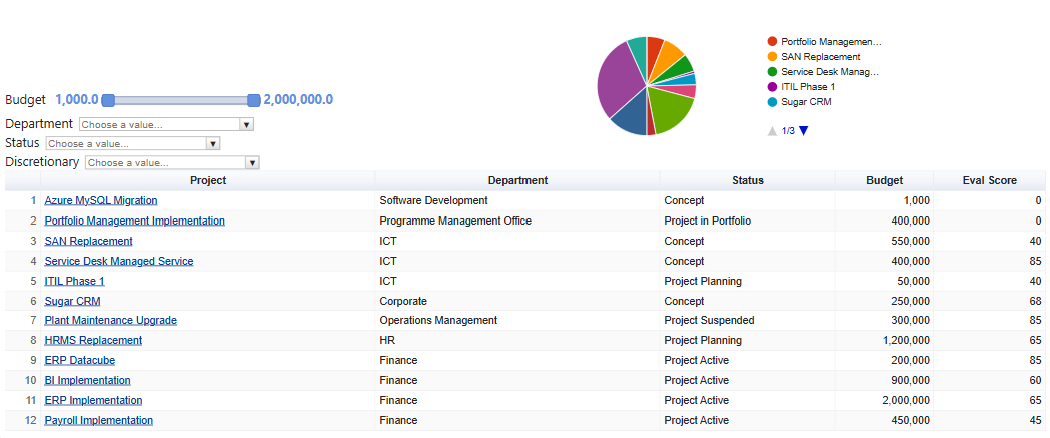
OptiToolkit connects the operating context, assessment evidence, dashboard signal and owned follow-up required to manage the issue.
Status, budget, benefits, ownership and risk are often reconciled manually.
Project lists do not clearly distinguish stale, low-scoring or high-impact work.
Governance roles, forums and assessment evidence are separated from delivery records.
Remediation can disappear into meeting notes instead of an owned action backlog.
Use a shared management cycle from initial scope to visible follow-up.
Record projects, ownership, status, budget, resource and key dates.
Apply lifecycle, benefits, risk, investment or governance models.
Review delivery, score, value, ownership and update-age signals.
Use portfolio metrics, filters and AI to focus intervention.
Assign remediation and adjust governance, sequencing or investment.
Monitor delivery, benefits, resources and reassessment trends.
Filter projects across delivery, ownership, investment and assessment context, then open the records and actions behind the signal.
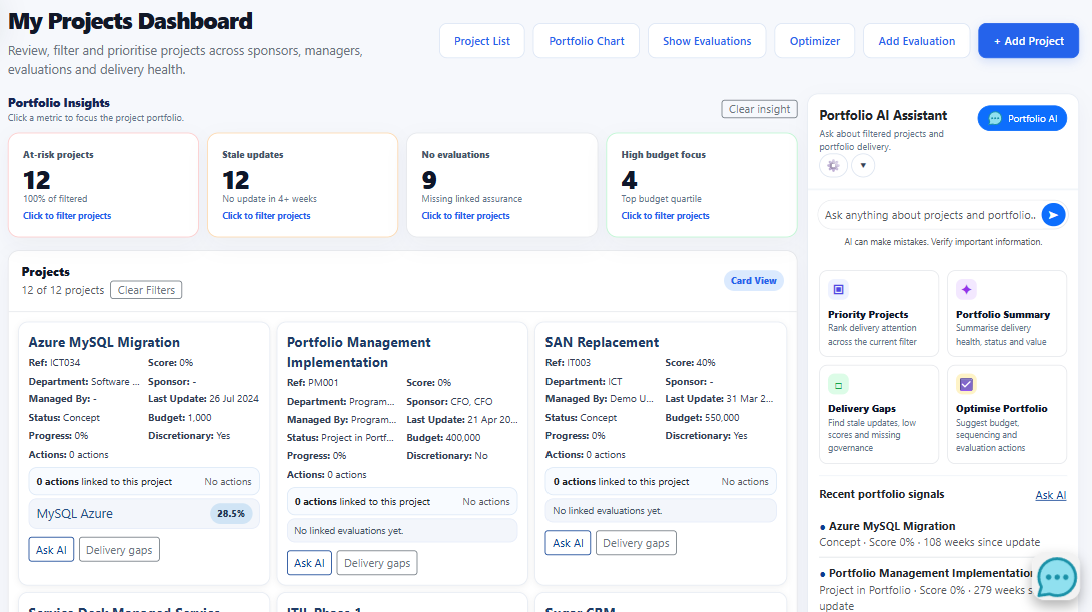
Bring the platform components required for a defensible management view into the same solution.
Capture projects, owners, status, budgets, resources and portfolio structure.
Explore capabilityEvaluate benefits, lifecycle maturity, risk, investment and governance performance.
Explore capabilityRelate projects to departments, services, systems, suppliers and contracts.
Explore capabilityAssign findings, owners and dates, then review open or overdue work.
Analyse benefits, budgets, resources, completion and status over time.
Rank priorities, identify delivery gaps and frame optimisation options.
Explore capabilityPass visible project records and filters into focused prompts for priority, summary, delivery gaps and optimisation.
Use delivery health, update age, assessments, budget and actions.
Frame options using the current visible portfolio context.
Portfolio recommendations remain decision support and should be verified against delivery constraints, financial data and leadership judgement.
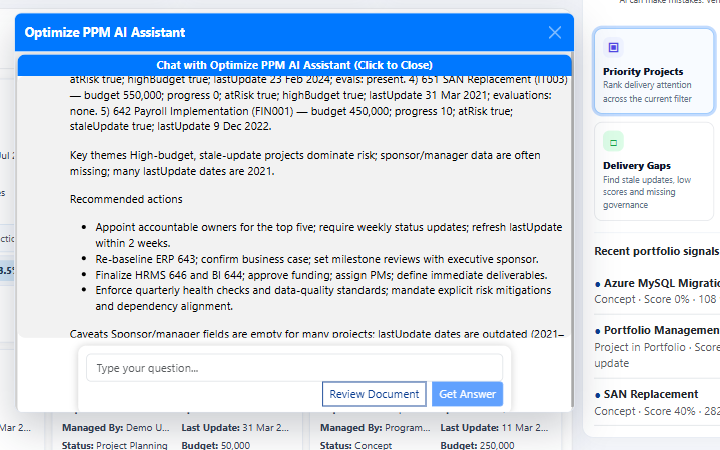
Keep source context, accountability and follow-through connected.
See which projects need attention and the evidence behind the signal.
Link delivery to ownership, assessment, forums, artefacts and dependencies.
Track remediation, reassessment and portfolio trends over time.
Bring a portfolio, transformation programme or prioritisation challenge to a focused product walkthrough.