Evaluator Agent
Evaluate documents against best practice and revisit previous evaluations.

Use purpose-built agents for evaluation, document extraction, contract analysis and reporting, alongside assistants that receive the exact dashboard context a user is reviewing.
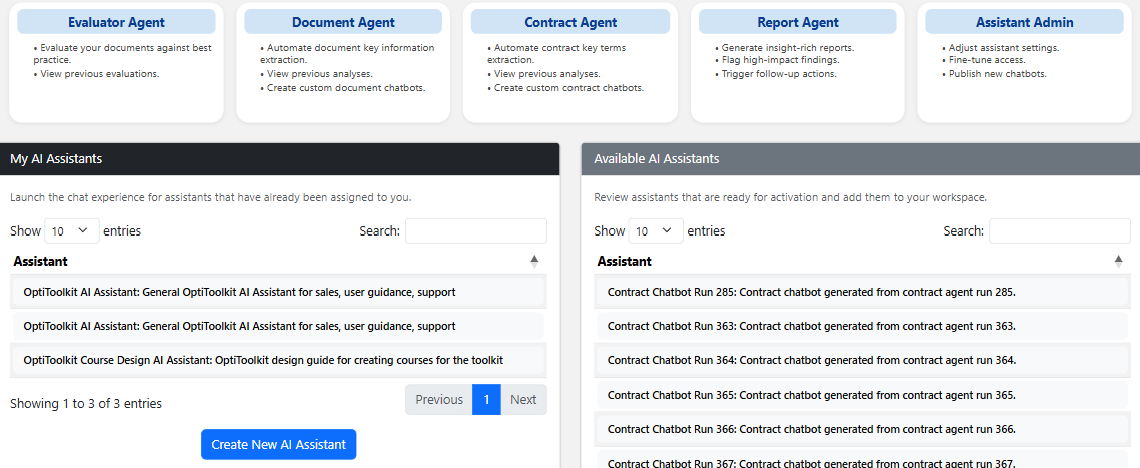
Focused agent experiences help users begin with the right analytical workflow.
Evaluate documents against best practice and revisit previous evaluations.
Extract key information, review analyses and create document-focused assistants.
Extract key terms, analyse agreements and create contract-focused assistants.
Generate insight-rich reports, highlight findings and support follow-up action.
The assistant interaction should remain connected to the dashboard, records and permissions already in scope.
Choose a purpose-built agent or dashboard assistant.
Use the current organisation, role, filters and record set.
Pass the visible data and workflow context into the prompt.
Generate priorities, summaries, gaps or suggested actions.
Check output against source records and responsible judgement.
Return to the underlying records, actions and workflow.
Launch assistants already available to the user, review models available for activation and configure access and model settings where authorised.
Dashboard-aware assistants and focused agents support different management jobs while preserving context and verification.
Rank entities, summarise scores and identify weak or declining coverage.
Review completion, currency, gaps and next actions.
Prioritise projects, identify delivery gaps and frame optimisation.
Review supplier coverage, contract risk and remediation.
Rank urgency, review deadlines and create follow-up plans.
Summarise output, data gaps, template coverage and readiness.
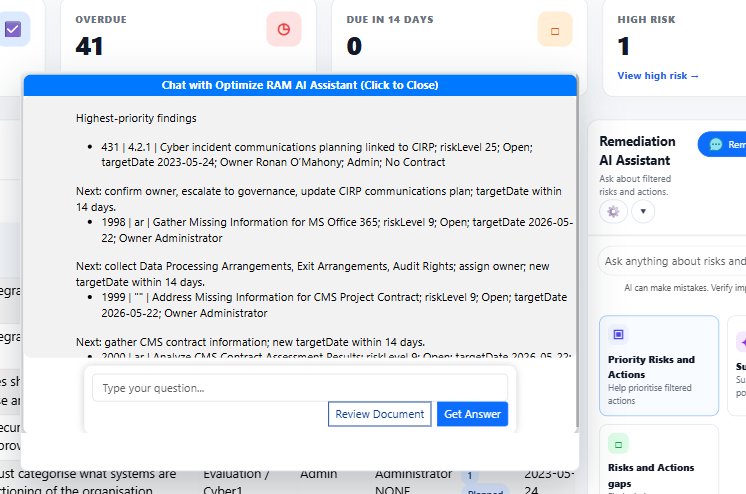
Each dashboard can offer focused prompts while still allowing users to ask their own question.
Rank the visible records using the signals already in scope.
Frame remediation without losing the source records behind the answer.
AI output is untrusted decision support and does not replace professional audit, legal, risk, regulatory or management judgement.
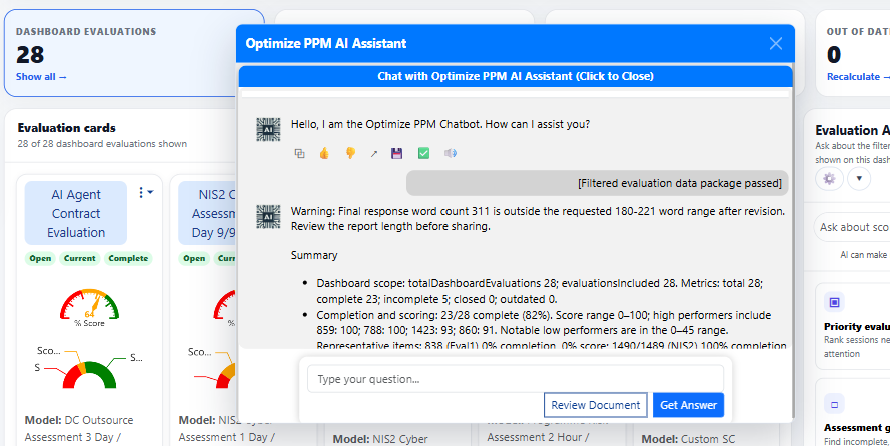
Keep the source context, permissions and verification expectations visible.
Start with a purpose-built agent or repeatable dashboard question.
Include the filtered records and workflow context in scope.
Return from the response to the records and actions behind it.
Choose a dashboard, document, contract or report workflow and review the context passed into the assistant.