Multiple frameworks
Use high-level or detailed models without rebuilding the operating context for each one.
Create reusable assessment models, coordinate evaluation sessions, capture the basis for scoring, compare results over time and move identified gaps into accountable action.
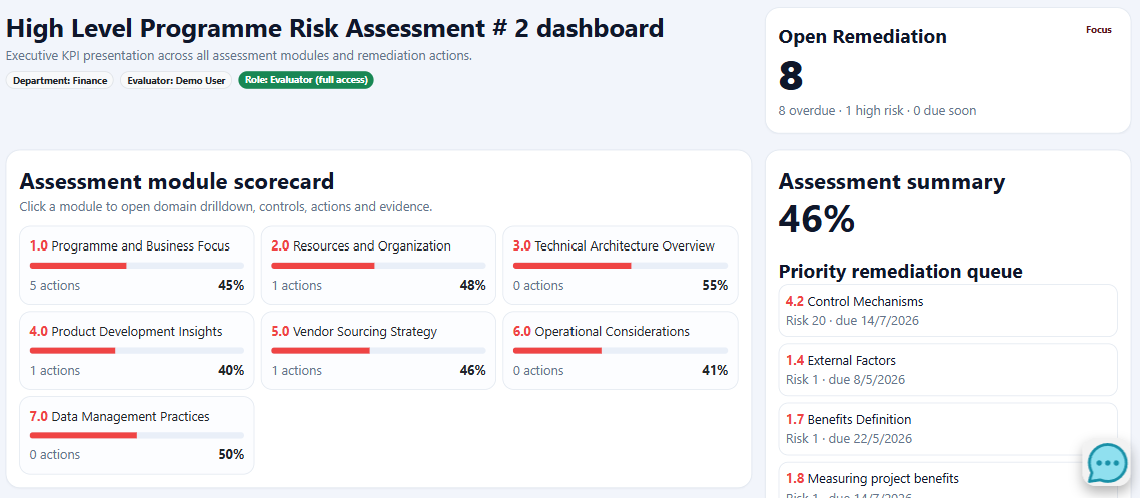
The platform keeps the assessed object, source evidence, historical result and resulting remediation connected.
Use high-level or detailed models without rebuilding the operating context for each one.
Preserve the information used to justify the current response and result.
Compare current and previous sessions to distinguish sustained change from a one-off result.
Move gaps into visible actions with owners, dates, status and reassessment.
Use a repeatable workflow for maturity, risk, compliance, project, business-case, competency and quiz assessments.
Create or adopt a model with levels, modules, questions and scoring rules.
Choose the organisation, entity, project, user or other record being assessed.
Collect responses, supporting evidence and assessment-team input.
Calculate completion, scores, gaps and comparison signals.
Generate findings and assign actions, owners, dates and status.
Compare sessions and demonstrate whether the position improved.
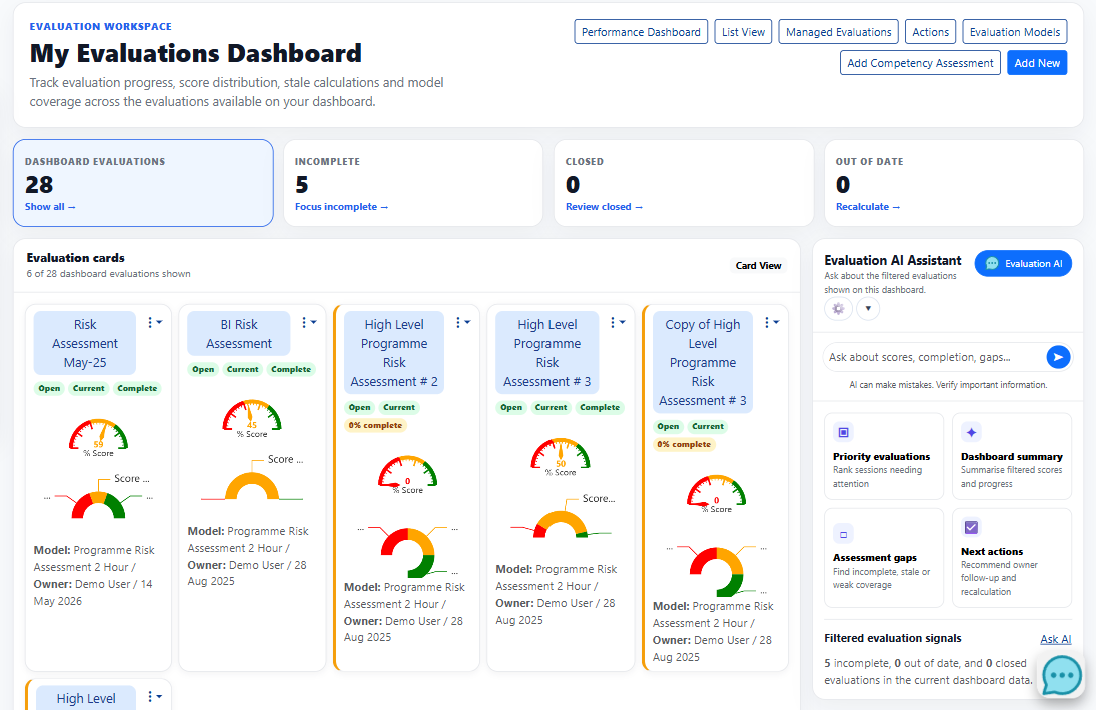
The evaluation workspace distinguishes incomplete, closed and out-of-date sessions, while filters and saved views help each role focus the right work set.
The value is not only the score. It is the relationship between the response, evidence, assessed object, history and resulting action.
Support maturity, risk, compliance, project, business-case, competency and quiz assessments.
Keep the information used to justify the assessment result close to the session.
Compare entity and model results across sessions and over time.
Connect results to entities, projects, users, agencies, suppliers and contracts.
Create actions from gaps and monitor open, overdue and due-soon work.
Use status metrics, filters and cards to organise the active assessment workload.
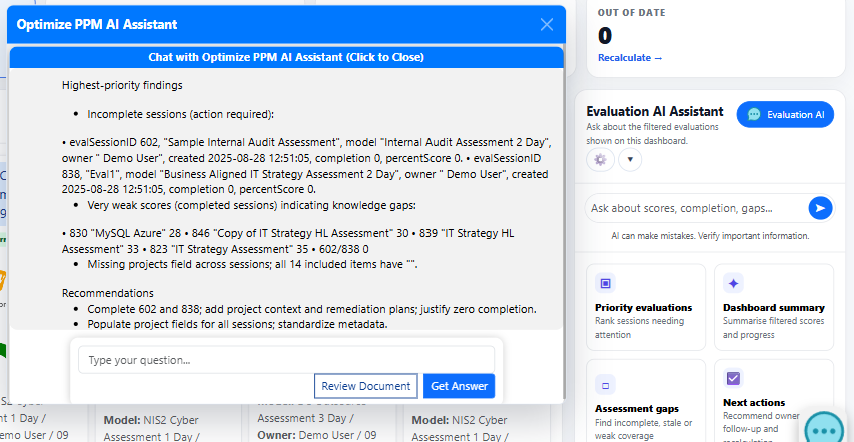
Explore capabilityUse dashboard-aware prompts to rank sessions needing attention, summarise progress, identify stale or weak coverage and recommend follow-up.
Rank the visible sessions using completion, currency, score and ownership.
Find incomplete, stale or poorly covered work in the filtered set.
AI output should be treated as decision support and verified against the underlying records and evidence.
Connect the framework, evidence, result, owner and follow-up instead of distributing them across separate tools.
Keep scope, scoring and supporting evidence connected.
Use status and trend signals to focus management attention.
Track remediation and reassessment after the initial finding.
Bring a maturity model, control framework, assessment programme or current remediation challenge to the walkthrough.